
Comparisons
Static vs Dynamic QR Codes
What the redirect actually buys you, measured on real encoded codes, and which payloads are worse off for it.
16 min readMake a QR code whose destination you can change after it is printed, and see how many times it has been scanned. No account, no card, no trial that quietly stops resolving your codes. We count the scans and store nothing about the person scanning.
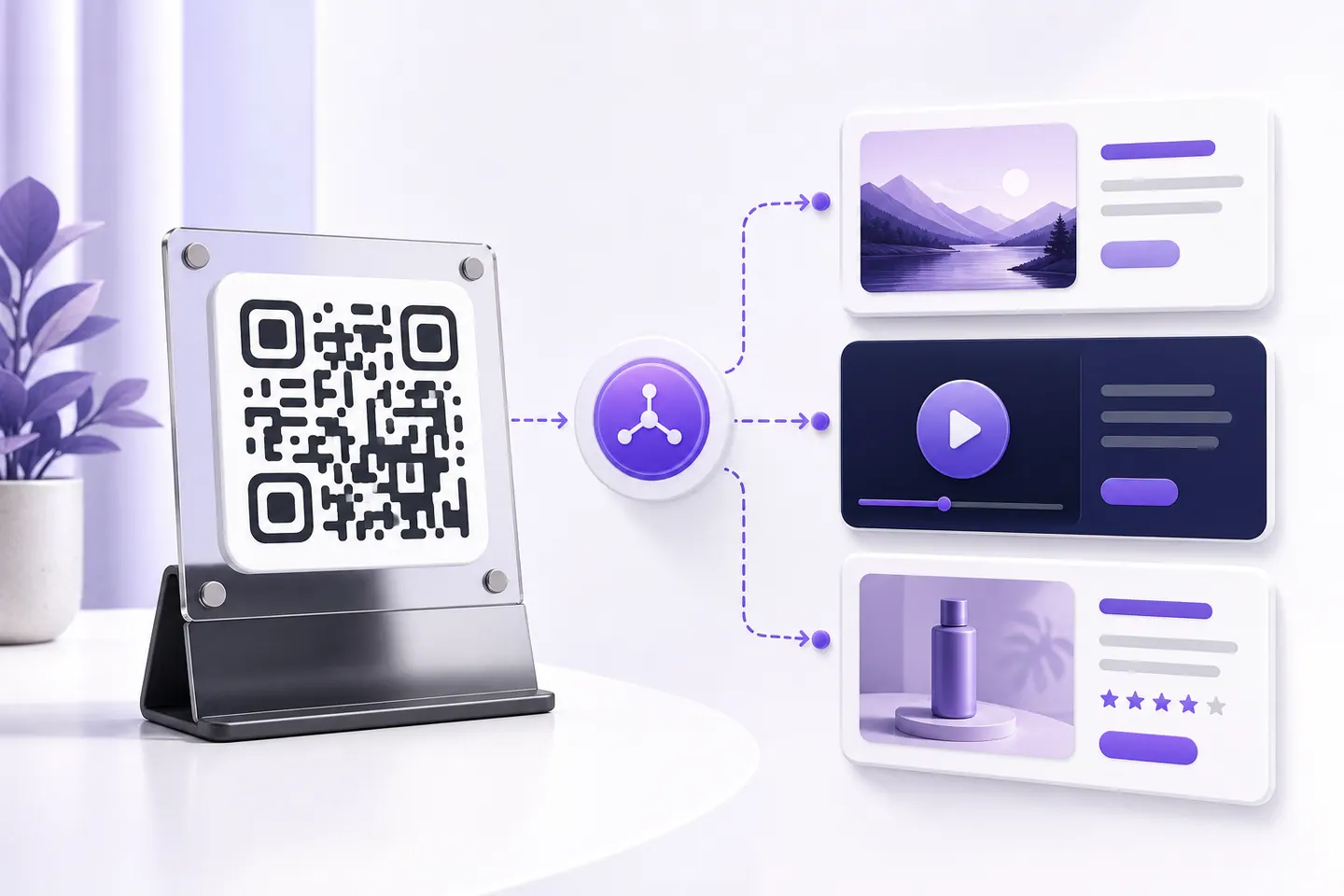


A static code carries your destination inside the pattern. Change the destination and you have to change the pattern, which means reprinting. A dynamic code carries a short address on this site instead, and that address holds a record of where to forward people. Editing the record changes every printed copy at once, because none of them ever contained your link.
That indirection is the entire feature, and everything else follows from it: the destination is editable because it is data rather than ink, the scans are countable because they pass through us, and the code stops working if we stop answering. One mechanism, three consequences, two of them good.
Every dynamic QR provider has the same five properties. Most of them only publish the flattering two, so here are all five before you print anything.
Only a code that routes through a server can be counted. A static code contacts nothing when it is scanned: the phone reads the symbol and acts on what is inside, so there is no event anywhere to record. That is not a missing feature, it is what static means, and it is why every scan-counting product hands you a dynamic code.
Here the steps are: make the code above, keep the edit key it gives you, and open that key again whenever you want the numbers. You get the running total, a count for each day, and the time of the most recent scan. There is no account, no card and no dashboard to log into, and the counts start the moment the code is live.
One warning about free QR code tracking elsewhere. The tracking is usually the thing the free tier is trialling, so when the trial lapses the redirect stops answering and every printed copy dies at once, not just the statistics. Why free QR codes stop working covers how to tell whether a code you already printed has that problem.
Open any dynamic QR product and the analytics tab offers location, device, operating system, time of day and unique visitors. It looks generous. What it means is that the person who scanned your table tent to read a menu had their approximate location and device fingerprint recorded by a company they have never heard of, to answer a question the restaurant did not really need answered.
So this stores a total, a count per day, and the timestamp of the most recent scan. That is enough to tell whether a flyer worked, and it is not enough to identify anyone. The counts are visible only with your edit key, so they are not public either. If you need real audience analytics, the honest place for that is your own site, behind your own privacy policy, which the destination link reaches anyway.
Use a dynamic code when the destination is genuinely uncertain: a seasonal menu, a campaign landing page, an event schedule, anything you expect to repoint within a year or two. Use a static code when it is not: a Wi-Fi password, a phone number, a permanent page, equipment labels meant to outlive the campaign, or anything going on packaging with a five-year shelf life.
There is a third option people miss. Point a static code at a short URL on a domain you own, and you get editable destinations with no dependency on us at all, because you control the redirect. It costs a domain and ten minutes. For anything printed in the thousands, that is the right answer, and we would rather say so than sell you a dependency you do not need. The static versus dynamic guide measures what the redirect costs in module count and print size.
The menu moves to a new URL each season, and the laminated card on the table does not.
A print run is committed months before the page it points at is final.
One code on a banner, pointed at whichever schedule or session page is current.
You want to know a campaign was scanned at all before you print the next batch.
Reprinting is expensive and slow, so the destination has to be the thing that changes.
The code is out in the world pointing at a dead link, and reprinting is not an option.
A QR code whose printed symbol encodes a short redirect address rather than your destination. Scanning it hits that address, which forwards to wherever the code currently points. Because the destination lives in a record rather than in the pattern, you can change it after printing without reprinting anything.
Paste the new address into the update box on this page and press update, with the edit key you were given when you created it. The change takes effect on the next scan. The printed code, the symbol and its address all stay exactly the same.
Yes, with no account, no card and no scan limit. What you should weigh is not the price but the dependency: a dynamic code only works while this service answers. Static codes here are free too and have no such dependency, so use those for anything permanent.
They stop resolving, and so would the codes from any other dynamic provider in the same situation. This is the part the paid tools tend not to spell out. If a code is going on packaging, a building sign or anything with a long life, encode a page on a domain you control instead, either directly as a static code or as the destination behind this one.
A total count, a count for each day, and the time of the most recent scan. Nothing else. No IP address, no device or browser, no location, no cookie, no unique visitor estimate. Statistics are visible only with the edit key, so they are not public either.
You need a code that routes through a server, because a static code contacts nothing and there is nothing to count. Make a dynamic code here, keep the edit key, and the scan total, the daily counts and the most recent scan time are on the same screen. No account is needed.
Here, yes: scan counts are included and there is no trial, no card and no account. Be careful with other free trackers, because the tracking is usually what the free tier is trialling, and when it lapses the redirect stops and every printed code dies with it.
From this tool: total scans, scans per day, and the last scan time. From most paid tools: also location, device, operating system and unique visitors. That extra detail is collected from the person scanning, and we decided not to, which is a real limitation and a deliberate one.
Not the printed one. Its symbol contains the redirect address, so it will always route through this service. What you can do is generate a static code for the current destination and use that for the next print run, which is worth doing once a campaign settles down.
The ones made here do not expire on a timer and are not tied to a trial. They last as long as the redirect answers. That is a real difference from several tools that quietly stop resolving your codes when a free trial ends, which is the behaviour that gives dynamic codes their bad reputation.
QRMakery generates static codes entirely on your device. A dynamic code is the one thing here that needs our server, which is why the page above spends as much time on the trade as on the feature.
Hundreds at once, destinations you can change after printing, and what fits inside a symbol.
What the redirect actually buys you, measured on real encoded codes, and which payloads are worse off for it.
16 min readThe usable square inside a round sticker is 70% of its diameter. Measured minimum sizes for real links, against every common sticker size.
8 min readWhat each platform already ships, the measured cost of each payload type, and how to check an offline claim yourself.
26 min read
