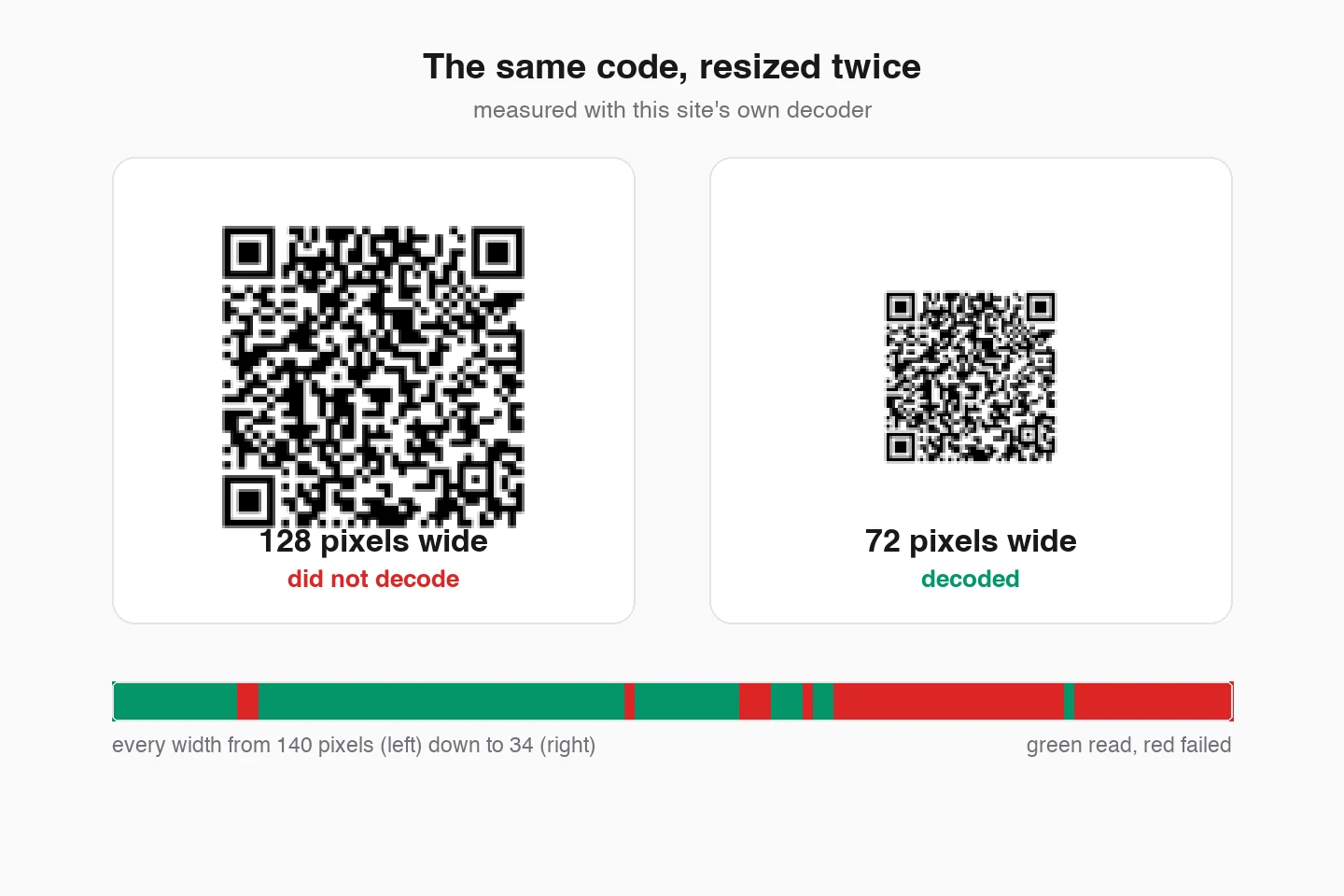
On this page10 sections
- 01What Is the Best Offline QR Code Generator?
- 02Five Different Products Share One Search Phrase
- 03Offline Generator or Online Generator
- 04Which QR Codes Actually Work Offline
- 05What Your Device Already Has
- 06How to Generate a QR Code Offline
- 07Offline Scanners, Which Are a Different Problem
- 08Are Offline QR Code Generators Actually Safer?
- 09How to Choose Without Reading Twenty Reviews
- 10Common Questions

What Is the Best Offline QR Code Generator?
Any page that answers this with one product name is selling something. The phrase covers five different kinds of software, so the useful answer is a route rather than a brand. Find your row.
| What you need | Use this | Why |
|---|---|---|
| A code in the next thirty seconds | The generator already on your device | Shortcuts on iPhone and Mac, the share menu in Chrome or Edge. Nothing to install, nothing to trust. |
| Something going to a printer | A browser generator that exports SVG | Vector holds its edges at any size. Every built-in route hands you a screen-resolution bitmap instead. |
| No installs permitted on the machine | A page that encodes in the tab | No binary, no admin rights, no permissions dialog. Check it with the network panel rather than taking our word. |
| Hundreds or thousands of codes | qrencode in a shell loop | One line over a CSV, reproducible, and it beats every GUI on this page including ours. |
| A machine that has never been online | An installed desktop program | The only route that needs no network at any point. Accept that you are trusting a download to draw squares. |
| Guest Wi-Fi on a card by the till | Any local generator, then test it on two phones | The credentials live in the pattern, so the scan finishes with no connection at all. That is the strongest offline case there is. |
One disclosure, since this site has a generator on it. The reason to use ours for anything printed is not that it works offline, because plenty of tools encode locally. It is that it decodes the finished symbol with a real decoder before the download unlocks, so a code that would fail cannot leave the page. For a code that will only ever live on a screen, that gate is overkill and your phone will do.
Five Different Products Share One Search Phrase
Five different products answer to this search phrase: a page that encodes in the tab, a web tool that quietly posts your text to a server, an installed desktop program, a browser extension, and a spreadsheet macro. They have different failure modes and different threat models, and picking the wrong one is how people end up with a macro their IT department blocks or an extension that can read their webmail.
Rather than repeat the breakdown here, the offline generator on this site compares all five side by side, rates how offline each one really is, and publishes a live audit of its own network requests so you can check the claim instead of taking it. The checklist there works on anybody else’s page too.
What the rest of this guide adds is the part that page does not cover: which platform already has a generator built in, what each payload costs you in print size, and how to tell scanning apart from generating.
Offline Generator or Online Generator
Offline wins on privacy and on longevity. Online wins on the two features that genuinely need a server, and most people never need either. Read the second row as a test to run rather than a claim to accept, because that is where offline tools oversell themselves.
| Feature | Offline generator | Online generator |
|---|---|---|
| Where the encoding happens | On your device, in the browser tab or in an installed binary. | On their server. The preview lagging behind your typing is the round trip. |
| What reaches a third party | Nothing, when the claim holds. Whether it holds is checkable in your own network panel, which is the point. | Every URL, passphrase and phone number you type, plus an IP and a timestamp. |
| Needs a connection | Once, to load the page. Never again for an installed program. | Every time, for every code. |
| Dynamic codes and scan counts | Impossible by definition. A redirect needs a server that stays up. | The main reason to pay for one. |
| What happens when the vendor dies | Your codes keep working. They contain the destination, not a redirect. | Static codes survive. Dynamic ones stop resolving the day the redirect goes. |
| Bulk and automation | A command-line encoder is the strongest option in the whole category. | Usually a paid tier with a CSV upload, which means uploading the list. |
For the long version of the last two rows, static versus dynamic QR codes measures what the redirect buys you and shows how to keep an editable destination without renting one.
Which QR Codes Actually Work Offline
“Offline” means three different things in this topic, and conflating them is why people end up disappointed. Generating offline means the encoder runs on your machine. Scanning offline means the decoder runs on the phone. A payload being offline means the scan finishes the job with no connection at all, and only that last one depends on what you encode.
Wi-Fi is the honest case: the phone joins the network from the pattern alone, which has to work without a connection because the guest does not have one yet. A URL is not. It decodes in a fraction of a second and is then useless until something has signal.
The last two columns are the part no roundup prints. The payload sets the module count, and the module count sets the smallest width the code can be printed at.
| What the code carries | After scanning | Chars | Modules | Min width, level M | Min width, level H |
|---|---|---|---|---|---|
| Plain text noteThe only payload that is offline end to end with nothing else involved. The scanner shows the text and that is the whole transaction. | Works offline | 30 | 37 | 14.8 mm | 16.4 mm |
| Geographic coordinatesReads offline. Whether the map that opens has tiles cached is between the phone and the map app. | Partly | 18 | 33 | 13.2 mm | 14.8 mm |
| Phone numberFills the dialler. No data connection involved, just a cellular one. | Works offline | 16 | 29 | 11.6 mm | 13.2 mm |
| Short URL on your own domainDecodes offline, opens online. This is the distinction the whole page turns on. | Needs a connection | 24 | 33 | 13.2 mm | 14.8 mm |
| Wi-Fi credentialsThe strongest offline case there is: the phone joins the network from the pattern alone, which is the point, because the guest has no connection yet. | Works offline | 65 | 45 | 18 mm | 21.2 mm |
| Contact card (vCard)Saves to the phone with no network. Also the payload that surprises people most, because the format itself is bulky. | Works offline | 89 | 45 | 18 mm | 22.8 mm |
| Campaign URL with trackingSame page as the short URL above, three times the characters. Look at what it costs in the last two columns. | Needs a connection | 109 | 53 | 21.2 mm | 26 mm |
Read those columns as a warning about level H as well. High error correction is what a logo needs, and it also adds modules, so the same content demands a bigger print. If the code is going somewhere small, spend the budget on a shorter payload first. The print size guide works those millimetres back from your own module count, and make a QR code for guest Wi-Fi takes the top row of this table apart on its own, including what your phone will do for you without a generator.
What Your Device Already Has
Here is the part the app roundups leave out. Two of these platforms ship an offline QR generator already, and a third has a better one sitting in the package repository. Check what you own before you install anything, because the thing you already have asks for no permissions and cannot be sold to a new owner next year.
We have not installed and ranked third-party apps, and we are not going to pretend otherwise. What follows is what each platform does natively, what we would reach for, and the trap on each one. Every claim about somebody else’s platform carries a link to their documentation.
iPhone and iPad
- Generates codes built in
- Yes. The Shortcuts app has a Generate QR Code action, and it runs on the device with no connection.
- Scans codes built in
- Yes. The Camera app reads codes, and there is a Code Scanner control for Control Centre.
What we would do: Build a one-step shortcut: Generate QR Code from the share sheet input, then Quick Look the result. It takes two minutes once, works in airplane mode forever after, and you never install a QR app at all. This is the answer almost nobody publishes, because there is no affiliate link in it.
Watch out: The Shortcuts action gives you no control over error correction, colour or size, and the image it hands you is screen resolution. It is a sharing tool, not a print tool. For anything going to a printer you want a vector, which means a real generator.
Source: Apple, Create QR Codes
Android
- Generates codes built in
- No. Android has no system-wide QR generator, which is why the app stores are full of them.
- Scans codes built in
- Usually. Camera QR scanning has been standard since Android 9, and many phones also carry a Quick Settings tile.
What we would do: Use a browser-based generator rather than installing anything. If you do install an app, put it in airplane mode before you trust the word offline in its listing.
Watch out: Built-in scanning is the manufacturer's implementation, not Google's, so it moves around: Samsung keeps it in Camera settings, OnePlus buries it under More, and some budget devices ship without it. Test the phone in your hand rather than the phone in the spec sheet.
Source: Google, Scan QR codes
Windows
- Generates codes built in
- Not in Windows itself. Edge and Chrome both have one in the share menu, which is the closest thing to built in.
- Scans codes built in
- Yes, through the webcam: the Windows Camera app has a Barcode button that reads QR codes and barcodes. What Windows cannot do is read a code out of a screenshot, which is the case people actually have.
What we would do: For one code, the browser share menu or a page like this one. For a batch on a locked-down machine, an installed program earns its place: it is the only route that works with no network at all, ever.
Watch out: Free Windows QR installers are the worst-behaved software in this whole category. You are granting an unsigned binary from a download site the right to run on your machine so it can draw squares. Prefer something open source, or prefer the browser.
Source: Google, Share pages in Chrome
macOS
- Generates codes built in
- Yes, the same Shortcuts action as iOS. Most Mac owners have never opened it.
- Scans codes built in
- No native reader, though Shortcuts and the browser both cover decoding an image.
What we would do: Shortcuts for a quick code, a browser generator for anything with colour or a logo, and Preview to check the result at print size before you send it anywhere.
Watch out: Screenshotting a QR code off your own screen and using that as the print asset is the classic Mac mistake. You get a resampled bitmap with soft module edges. Export the vector instead.
Source: Apple, Create QR Codes
Ubuntu and Linux
- Generates codes built in
- One package away, and then it is genuinely offline forever: qrencode is in the default Ubuntu repositories.
- Scans codes built in
- Same story. zbar-tools decodes an image file from the terminal.
What we would do: If you are comfortable in a terminal, stop reading the roundups and use qrencode. It is open source, it takes no telemetry, it does SVG, and it scripts over a CSV in one line. For a batch of a thousand asset labels it beats every GUI on this page, including ours.
sudo apt install qrencode zbar-tools
qrencode -l H -s 10 -o code.png 'https://example.com/menu'
zbarimg code.png
Watch out: qrencode defaults to error-correction level L, which is the weakest. Pass -l H for anything that will be printed, scuffed or carry a logo. The default is the single most common reason a terminal-generated code fails in the field.
Chrome, Edge, Brave and other Chromium browsers
- Generates codes built in
- Yes. The share menu in the address bar makes a code for the current page, with no extension needed.
- Scans codes built in
- No. Decoding an image needs an extension or a web page.
What we would do: Use the built-in one for sending a page to your phone. It is two clicks and it involves no third party at all, which is more than can be said for most extensions.
Watch out: Do not assume the code contains exactly the URL in your address bar. Scan your own output and read the string back before you print it: a browser or an extension is free to append tracking parameters, and the only way to know what you are printing is to decode it. That check takes ten seconds and it is the one nobody does.
Source: Google, Share pages in Chrome
Firefox
- Generates codes built in
- No. Firefox has no built-in QR generator on desktop, so this is add-on territory.
- Scans codes built in
- No.
What we would do: A page that encodes in the tab is the lower-risk option, because it needs no permissions at all. If you want an add-on, hold it to the same test as any extension: check what it can read, and check whether it still works with the network off.
Watch out: An add-on that turns the current tab into a code needs permission to read that tab. Mozilla's own wording for the broader version of that permission is blunt: an extension with access to your data for all websites can read the content of any page you visit, including what you type into it. Prefer one that asks for the active tab on click, prefer one with a public repository, and note that we have not audited specific add-ons and will not pretend otherwise.
How to Generate a QR Code Offline
Eight steps, and the two that change the outcome are the ones most guides list last: cut the payload down, and test the print at real size. The rest is setup.
- 1Pick the tool before you disconnectAnything browser-based has to be fetched once. Open it while you still have signal, then cut the connection. Reloading the tab later is the one thing that will not work, because there is no service worker caching this site yet.
- 2Disconnect now that it has loadedKill Wi-Fi and mobile data before you type anything, rather than checking at the end. If the preview freezes or a spinner appears, the encoding was happening on someone's server, and you have found that out in ten seconds instead of after the print run.
- 3Choose the payload, not just the textA URL and a Wi-Fi block behave completely differently after the scan, and they cost different amounts of space. The measured table above is the reference. Shorter payloads are cheaper in every way that matters.
- 4Cut the payload down before you touch any settingsStripping four utm parameters off one of the sample URLs in the table above (the autumn-menu campaign link) drops it from 45 modules to 29 at level M, which is 21.2mm of minimum print width against 13.2mm. Same page, same code, two thirds of the size. No design setting gets you that.
- 5Set error correction deliberatelyLevel M is a sane default. Go to H if a logo is going on it, and know what that costs: H adds modules, so the same content needs a bigger print. If you are working in a terminal with qrencode, remember it defaults to L, which is too little for anything that gets handled.
- 6Keep the quiet zone and check the contrastFour modules of clear space on every side, which ISO/IEC 18004 requires and designers crop constantly. On colour: on a clean render our decoder read a grey code at 4.00:1 and failed the same code at 3.90:1. Aim for 4.5:1 rather than 4.0:1, because that clean render has no camera sensor, no dim room and no ink spread in it, and all three eat the same margin.
- 7Export SVG for print, PNG for screensKeep the SVG as the master. A resampled PNG with soft module edges is the classic cause of a code that scanned on the monitor and failed on the flyer.
- 8Test on two phones at the real sizePrint it at final size, tape it where it will live, and scan it from the distance a person will stand at with the worst phone you can find. A decode test in software, including the one this page runs before unlocking a download, proves the image is readable. Only a camera in the room proves the code is usable.
Step six quotes a contrast figure that came out of breaking codes on purpose. Why a QR code will not scan reproduces each failure and publishes the threshold, including what the decoder did at 4.00:1 and at 3.90:1.
Offline Scanners, Which Are a Different Problem
Generating and scanning get sold together and searched separately. An offline scanner request is one of the four below, and for the first two the honest answer is that the reader already owns the solution.
- The camera app you already haveEnough for almost everybodyBoth iOS and Android decode on the device, which means a Wi-Fi code or a contact card works with the network off. Nothing gets uploaded and there is nothing to install. If you scan a code once a month, stop here.
- A dedicated scanner appWorth it for a workflow, not for a scanThe reason to install one is history, batch scanning, barcode formats the camera ignores, or exporting a session to CSV: stocktaking, ticket doors, asset audits. The reason not to is that a scanner app wants camera permission plus, very often, network permission for its ads.
- Decoding an image on a computerThe gap in every desktop OSNeither Windows nor macOS reads a QR code out of a screenshot for you. On Linux, zbarimg does it in one command. Everywhere else it is a browser page or an extension, and a page that decodes in the tab is the version that does not send your screenshot anywhere.
- A URL preview before it opensThe only scanner feature that is a security featureA code that shows you the destination and waits is the difference between reading a sticker and visiting whatever somebody pasted over the original one. The camera apps show the URL in a banner. Read it before you tap, especially on a code stuck to a parking meter or a table.
To be clear about what QRMakery does not have: there is no scanner here. Not a planned one with a badge, not a beta. If you came to decode a code rather than make one, your phone camera is the answer, and on Linux it is one zbarimg command.
Are Offline QR Code Generators Actually Safer?
Yes, and less than the marketing implies. Encoding locally removes one specific risk: your data no longer travels to a company that logs it. That is real and worth having. It is also the only thing the word offline promises, and four other assumptions usually ride along with it.
- AssumptionOffline means private
- It means the encoding did not need a server. An installed app can still phone home for ads or crash reporting, and an extension that reads the page you are on holds the permission it would need to read your webmail. Offline narrows the attack surface, it does not close it.
- AssumptionOpen source means safe
- It means somebody could audit it, not that anybody did. What open source genuinely buys you is the ability to check the claim yourself, and a fork if the owner sells out. Both are real. Neither is a guarantee.
- AssumptionThe store listing said no data collection
- Store declarations are self-reported, and nobody at the store verifies them. The airplane-mode test takes about ninety seconds and tells you what the software does rather than what its author wrote in a form.
- AssumptionA QR code protects what is inside it
- There is no encryption in a QR code at all. Anyone who can photograph it can read the contents, which is why a guest Wi-Fi passphrase on a card is fine and your main network password is not.
Staying Safe on the Scanning Side
Generating offline protects your data. It does nothing about the code you are pointing a camera at, and that is where the actual fraud is. A sticker over a printed code costs nothing and works, so the habit worth building is reading the destination before you tap it.
The scan side has its own rules and its own tooling, so it lives on its own page: best offline QR code scanners covers which scanner each platform already has, what permissions one should ask for, and the measured reason a screenshot of a dense code stops decoding. For the narrower case where the code is already sitting in your camera roll and there is no second device in the room, scanning a QR code from a screenshot has the file route for each platform and what a chat app does to the image on the way to you.
How to Choose Without Reading Twenty Reviews
Nothing here is the best offline QR code generator, because the phrase describes five products. What you have is a constraint. Each one rules out most of the options in a single step, so find yours and stop reading.
A page that encodes in the browser
- You need a handful of codes and you are online right now, even if you will not be later
- The machine belongs to an employer who will not let you install anything
- You want colour, a logo, or a vector for print
- You would rather grant zero permissions than audit an app
The generator your device already has
- You are on an iPhone, iPad or Mac and want a code in the next thirty seconds
- You are sending the page you are reading to your own phone
- Screen resolution is fine, because nothing is getting printed
A command-line encoder
- The codes come from a spreadsheet, a database or a build step
- You need hundreds or thousands, reproducibly, with no clicking
- The machine is a server with no display
- You want the encoder pinned in version control and auditable
An installed desktop program
- The machine has never been online and never will be
- Policy forbids browser tools but permits vetted software
- You want the strong reading of offline: no network stack involved at any point
If none of them fit cleanly, default to the browser. It is the option with the least to go wrong: nothing installed, no permissions, no binary to trust, and your own developer tools settle any argument about what it sends.
Common Questions
Does Windows have a built-in QR code generator?
Not in Windows itself. There is no system tool and no right-click option, which is why searches for offline QR software are mostly Windows searches. The nearest built-in route is the share menu in Edge or Chrome, which makes a code for the page you are on without any extension. For anything you intend to print, use a generator that exports a vector, because the browser share menu hands you a small bitmap.
Can an iPhone create a QR code without an app?
Yes. The Shortcuts app that ships with iOS has a Generate QR Code action, and it runs entirely on the device, so it works in airplane mode. Build a shortcut that takes the share sheet input and generates a code, and you have a permanent offline generator with nothing installed. The catch is control: no error-correction setting, no colour, and a screen-resolution image, so it is for sharing rather than printing.
Can Chrome generate a QR code offline?
The generator itself is inside the browser, so it does not need a connection to draw the code. Two caveats worth knowing. It only encodes the page you are currently on, so it is a sharing shortcut rather than a generator, and you should scan the result and read the string back before printing it, because you cannot see from the picture whether anything was appended to the URL.
How do I generate a QR code in the Linux terminal?
Install qrencode from your distribution's repositories, then run qrencode with an output file and your data: qrencode -l H -s 10 -o code.png 'https://example.com'. It is fully offline and open source, and zbarimg from zbar-tools reads a code back out of an image the same way. One thing to change from the defaults: qrencode writes error-correction level L unless you pass -l H, and level L is too little for anything that gets printed or handled.
Can I create a Wi-Fi QR code offline?
Yes, and Wi-Fi is the payload where offline generation matters most. The credentials are encoded directly into the pattern in the WIFI:T:WPA;S:network;P:password;; format, so the phone joins from the code alone with no connection at either end. That also means the password is readable by anyone who scans the code or photographs it, so a guest network is fine and your main network is not.
Can I scan a QR code from a screenshot without internet?
On a phone, yes: both iOS and Android decode an image from the photo library on the device. On a computer it depends. Linux does it in one command with zbarimg. Windows and macOS have no built-in decoder, so you need a browser page or an extension, and the honest question there is whether your screenshot leaves the machine. A page that decodes in the tab does not upload it. This site does not have a scanner yet, so we are not the answer to that one.
Can a QR code contain a file, like a PDF?
No, and this is a common misunderstanding sold as a feature. A QR code holds a few thousand characters at most, so a file cannot fit. Every tool advertising PDF QR codes uploads your file to its own hosting and encodes a link to it, which means the code depends on that company continuing to host the file and keeps working only as long as they do. If you need a code that survives, encode a URL on a domain you control.
Should I download a QR code as PNG or SVG?
SVG for anything printed, PNG for screens. An SVG is instructions for drawing the modules, so it stays exact at any size a printer asks for, and the print shop can scale it without asking you for a bigger file. A PNG is a fixed grid of pixels: enlarge it and the module edges soften, which is what causes the classic code that scanned on screen and failed on the flyer. Keep the SVG as the master and export a PNG when something needs one.
Make One in Your Browser and Pull the Plug
The generator on this site encodes in the tab and audits its own network requests so you can check the claim rather than take it. No account, nothing uploaded.
Open the generatorKeep reading
All guides- Comparisons
Static vs Dynamic QR Codes
What the redirect actually buys you, measured on real encoded codes, and which payloads are worse off for it.
16 min read - Printing
QR Code Sticker Size: The Circle Costs You 30%
The usable square inside a round sticker is 70% of its diameter. Measured minimum sizes for real links, against every common sticker size.
8 min read - Troubleshooting
How to Scan a QR Code From a Screenshot
The file route on each device, what a chat app does to the image on the way to you, and why failing once is worth retrying at a different size.
23 min read