On this page10 sections
- 01Google Already Makes You One, and Nobody Mentions It
- 02Six Addresses Point at Your Business. Two Open the Review Box
- 03What Each Address Costs in Printed Millimetres
- 04What Happens When a Customer Scans It Signed Out
- 05The Version I Would Actually Print
- 06The Rules Google Enforces, Quoted Rather Than Summarised
- 07Where It Goes, and Two Places It Does Not
- 08What This Does and Does Not Do for Local Rankings
- 09What QRMakery Makes Today
- 10Common Questions
Google Already Makes You One, and Nobody Mentions It
Search this topic and you get a page of generators. Every one I opened starts by asking for your link. Not one of them starts by telling you that Google gives you the code for free, inside the profile you already own, because that sentence costs them the sale. So here it is first.
- Open Your Business Profile on a Computer
Sign in to the Google account that manages the business and search for your own business name, or go to the profile from Google Maps. The phone app will not do, and that is the whole reason people give up at this point.
- Select Read Reviews, Then Get More Reviews
Google shows the review link and a QR code together in the same panel. Copy takes the link. The QR code sits next to it as an image.
- Right-Click the QR Code and Save Image As
That is the download, and Google says so plainly. There is no export menu, no size options and no vector file. You get whatever pixels the panel is showing.
- Scan It Before You Send It to a Printer
Use a phone that is not signed in to the Google account that manages the business. You want to see what a customer sees, which is not what you see.
Two limits are worth knowing before you build a print run around it. Google states the desktop-only restriction itself, on its help page for creating a link or QR code to request reviews. And the download is a right-click on an image, so what you get is whatever pixel dimensions that panel happened to be rendering. That is fine for a sticker and wrong for anything a print shop touches, where you want a vector file that stays sharp at any size.
If you are printing one card for the counter, use Google’s code and stop reading. Genuinely. The rest of this page is for the cases where that image is not enough, and for the decision it hides from you, which is which address ends up inside the pattern.
Six Addresses Point at Your Business. Two Open the Review Box
This is the part that actually goes wrong. Google will hand you at least six different addresses that all lead to the same business, and they split into two groups that do very different jobs.
A review link opens the review box with the stars already on screen. A listing linkopens your Business Profile, where the customer sees your hours, your photos, your directions and everything else, and has to go looking for the button that writes a review. Both are useful. Printing the second one under the words “leave us a review” is the mistake, and it is the one that fills the Business Profile community threads.
The rule is boring and it works: read what your card says, then encode the address that does that. Directions sticker on the van, Maps link. Review card in the takeaway bag, review link.
What Each Address Costs in Printed Millimetres
Every character you encode becomes modules, and modules become printed width. So the address is not just a routing decision, it is a size decision, and it is measurable. The table below encodes all six with this site’s engine at build time and reads each symbol back with a decoder before publishing the numbers.
| Which address | Opens | Characters | Version | Min width, level M | Min width, level H |
|---|---|---|---|---|---|
Review short linkUse this onedecoded backhttps://g.page/r/CQdM8kR2vTfLEBM/reviewBusiness Profile, Read reviews, then Get more reviews. The one Google generates for you, and the one to encode. The token is tied to the profile, so there is nothing to look up and nothing to get wrong. | Review form | 39 | 3 | 14.8 mm | 18 mm |
Maps share linkdecoded backhttps://maps.app.goo.gl/aH7xQ2kLm9Nfp3Rt6The Share button on your listing in Google Maps. Opens the listing, not the review box. Right for a directions sticker on a delivery van, wrong for a review card, because the customer still has to scroll and find the stars. | Business listing | 41 | 3 | 14.8 mm | 18 mm |
Maps CID linkdecoded backhttps://maps.google.com/?cid=10281119596374313554The numeric ID buried in your listing's page source. Longer to read and no better than the share link. It survives a business rename, which is the only argument for it. | Business listing | 49 | 3 | 14.8 mm | 18 mm |
Search linkdecoded backhttps://www.google.com/search?q=Rosewood+Coffee+House+LondonTyped by hand, or copied from a search you just ran. Points at a query rather than at your business. It lands on a competitor the day one of them ranks above you for your own name, and nothing warns you when that happens. | Business listing | 60 | 4 | 16.4 mm | 21.2 mm |
Place ID review linkdecoded backhttps://search.google.com/local/writereview?placeid=ChIJN1t_tDeuEmsRUsoyG83frY4Built by hand from the Place ID finder. The address most guides still tell you to build, from the days before Google generated the short one. Same destination, 40 more characters, and every one of them has to fit inside the printed symbol. | Review form | 79 | 5 | 18 mm | 22.8 mm |
Full Maps place URLdecoded backhttps://www.google.com/maps/place/Rosewood+Coffee+House/@51.5072178,-0.1275862,17z/data=!3m1!4b1!4m6!3m5!1s0x487604b900d26973:0x4291f3172409ea92!8m2!3d51.5072178!4d-0.1275862!16s%2Fg%2F11c1n3z5kqThe browser address bar while looking at your own listing. Most of it is coordinates and internal identifiers. Copying from the address bar is the single most common way a business ends up with a code nobody can scan from more than a foot away. | Business listing | 195 | 10 | 26 mm | 34 mm |
A path on your own domainhttps://rosewood.coffee/rNot something Google gives you. A redirect you set up once, pointing at the review link, and the smallest code on this table. | Whatever you point it at | 25 | 2 | 13.2 mm | 16.4 mm |
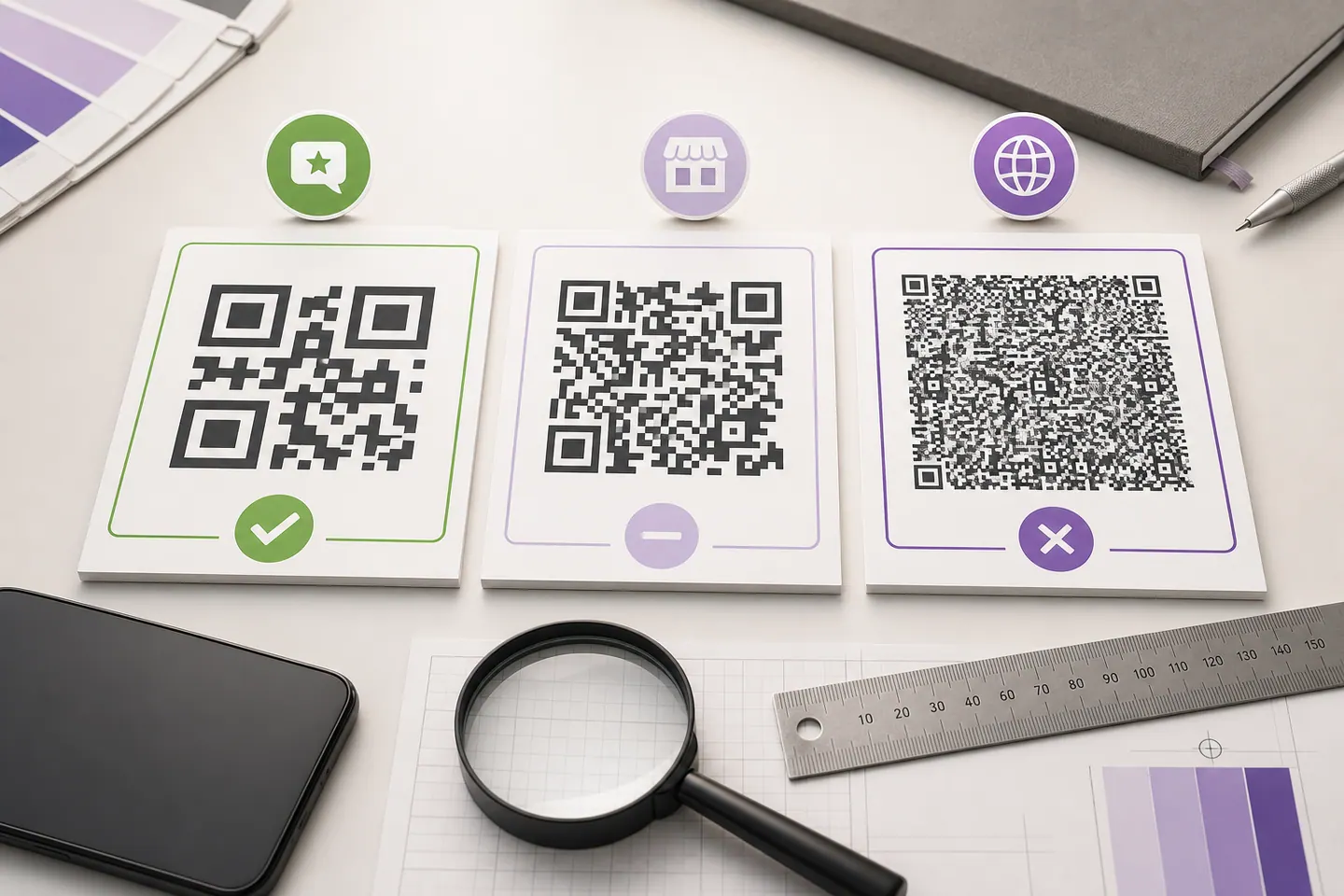
Two codes for the same coffee shop. The left one came from the review panel in the Business Profile. The right one was copied out of the browser address bar, which is what most people do, and it needs 26 mm of width against 14.8 mm. Print both at 20mm on a business card and only one of them reads.
Two results worth pulling out of that table. The top 3 rows produce an identical 37 module symbol at level M, so shortening a Maps link that is already under about forty characters buys you nothing at all. And the gap that does matter opens at level H, the setting a logo forces you into, where the place ID link costs 4.8 mm more width than the short one for the same destination.
The result I did not expect is in the top three rows. The review short link, the Maps share link and the Maps CID link all land on the same version 3 symbol, even though one is ten characters longer than another, because they fall inside the same capacity band. The standard advice is to shorten your link. Between those three, shortening buys you exactly nothing.
Where it does bite is the place ID link, which most older guides still tell you to build by hand, and the full Maps URL out of the address bar. That last one needs 26mm at level M and 34mm at level H against about 15mm for the code in your own profile panel. On a business card that is the difference between a code that reads and a code that people give up on. If you want the full arithmetic behind those millimetres, the minimum print size guide works it back from scan distance rather than repeating a number.
What Happens When a Customer Scans It Signed Out
Nobody writes this bit down, so we went and requested each address with no Google session and recorded where it ended up.
| What was requested | Where it ended up | What it means for you |
|---|---|---|
| The place ID review link, signed out | Three redirects, ending on the Google account sign-in page. | Leaving a review needs a Google account, so this is correct behaviour rather than a fault. It is still worth knowing that a share of the people who scan your card will meet a sign-in form before they meet the stars. |
| A review short link with an invented token | One redirect, ending on the Google homepage. No error, no message. | This is the one that costs money. A mistyped or truncated token does not announce itself. It delivers your customer to google.com and looks like a scan that worked, so the print run is already done by the time anyone notices the reviews are not arriving. |
| The Maps CID link | Resolved to the Maps listing, with the CID intact. | It works, and it opens the listing rather than the review box, which is the distinction the whole table exists to make. |
The middle row is the expensive one. A review link with a wrong token does not return an error. It redirects once and drops your customer on the Google homepage, looking exactly like a scan that worked. You would never know from the print proof, from the PDF, or from glancing at the code.
So test the finished code rather than the link you copied. Scan it, read the address in your phone’s preview banner before tapping anything, and do it on a phone that is not signed in as the business. If the printed artwork is all you have, reading the code back out of the image shows you the exact string inside the symbol.
The Version I Would Actually Print
Here is the opinion, and it is the last row of that table: encode a short path on a domain you already own, and point that path at Google’s review link.
It is the smallest code on the page at 13.2mm, it reads back cleanly, and it is the only option on the table you can change your mind about. That last part is not hypothetical. Google has already retired one link format: business short names, the g.page/yourname shape people printed on menus for years, can no longer be created or edited, and Google says the existing ones still work but are no longer shown on the profile. Anyone whose printed code went through their own domain shrugged at that. Anyone who encoded the raw address was one policy change away from a reprint.
No domain, or no appetite for setting up a redirect? Then a dynamic code does the same job here for free, with no account, and gives you a scan count as a side effect. Read the trade honestly first: a dynamic code works only while the service answering that redirect keeps answering, which is true of every dynamic provider including the ones charging monthly. The static versus dynamic comparison measures what that redirect costs and buys.
And if the code is going on something you reprint every few months anyway, a table tent or a seasonal flyer, skip all of this. Encode the review short link straight from your profile. The reprint you were doing regardless is your safety net.
The Rules Google Enforces, Quoted Rather Than Summarised
The code is the easy half. The wording next to it is where local businesses get their reviews wiped, and three lines from Google’s policy for contributed content on Maps decide most of it. Quoted rather than paraphrased, because the paraphrases in circulation are softer than the original.
Offer incentives, such as payment, discounts, free goods and/or services, in exchange for posting any review or revision or removal of a negative review.
What that rules out: Scan for 10% off. A free coffee for a review. A prize draw entry printed under the code. All of it is against the policy, and the reviews it produces are the kind Google removes.
Discourage or prohibit negative reviews, or selectively solicit positive reviews from customers.
What that rules out: The rating funnel, sold as a feature: a landing page that asks for a star rating first, sends four and five to Google, and diverts one to three into a private complaints form. That is the whole product, and this line is the thing it runs into.
When soliciting reviews, merchants should not require or pressure users to leave ratings or write reviews while on the premises, nor should they request that specific content be included.
What that rules out: The staff script, the review target per shift, and asking customers to name their server. A code sitting on the counter is not pressure. A member of staff standing over it with a tablet is.
Read the second one twice if you have ever been pitched a review funnel. A landing page that filters by star rating before it decides whether to show you Google is sold as a feature, and this line is what it runs into. The QR code is not the problem. What sits behind it is.
The third quote is the one people find unfair, so it is worth being precise. A code printed on a card and left on the counter is not pressure. A staff member holding out a phone while the customer types is. Google goes further in the same section and names review targets per shift, and asking for a server’s name in the review. A policy only bothers to name a practice that is happening.
Where It Goes, and Two Places It Does Not
The usual version of this section is sixteen surfaces in a bulleted list, every one of them recommended. Here are six with a view attached, including two we would argue against.
| Where | Verdict | Why |
|---|---|---|
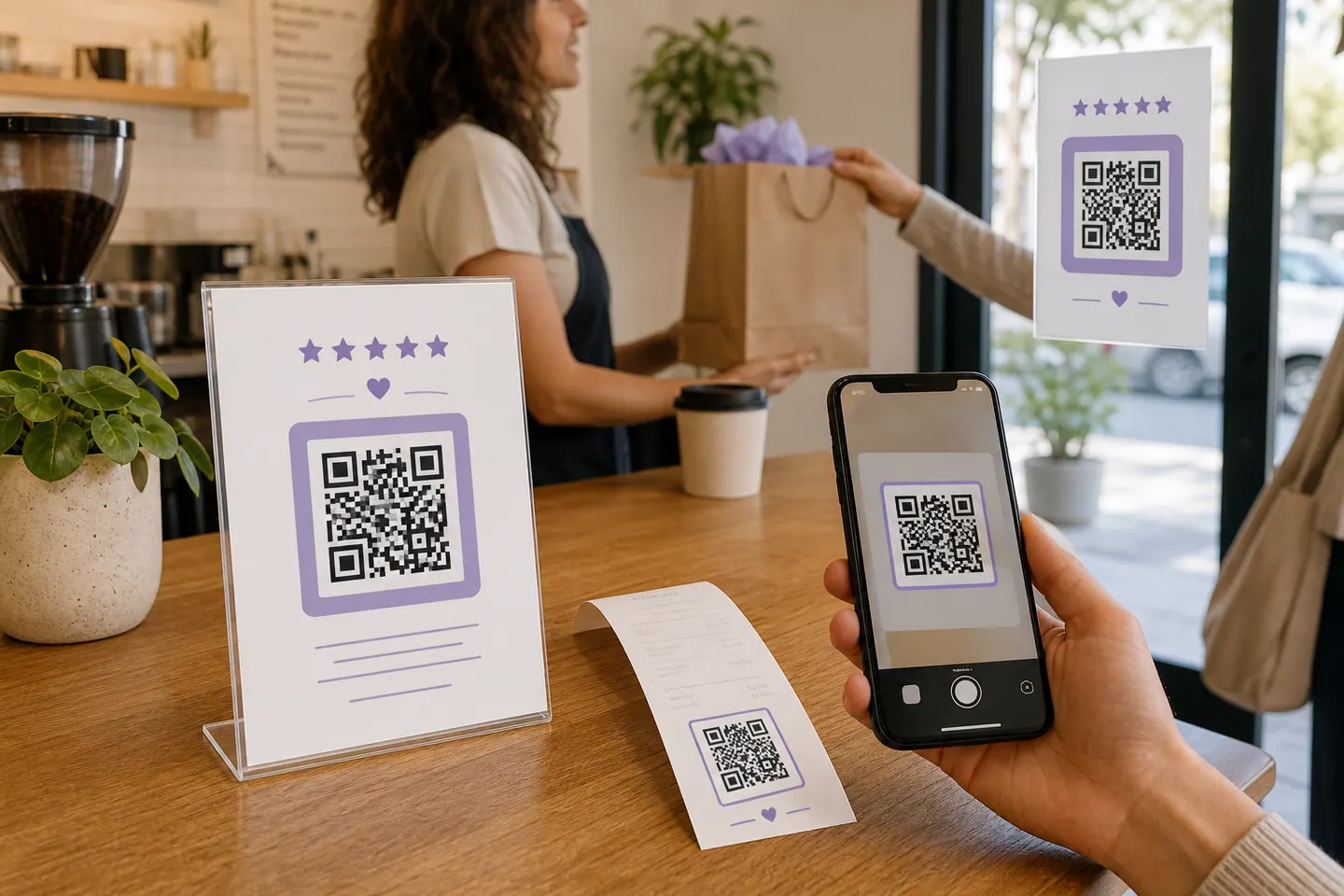
| The receipt, or the emailed version of it | Good | It reaches the customer after the visit is over, which is when a person can actually judge it. It also arrives one to one, so there is no staff member in the room and no pressure to manage. |
| A card handed over at the end of the transaction | Good | Small, cheap to reprint, and read at arm's length. At the size the review link needs, it fits on a business card with room to spare. |
| Table tents and counter stands | Depends | The code itself is fine. What gets businesses in trouble is the script that goes with it, and the wording printed under it. Keep it to an invitation and leave the rating out of the sentence. |
| A window decal read from the pavement | Depends | Scan distance decides the size, not the surface. Width scales with distance, so a code read from two metres away needs about ten times the width of the same code read at 200mm. A decal gets sized to the window it goes in, which is a different number entirely. |
| Vehicle wraps and roadside signage | Poor | A moving vehicle cannot be scanned at all, and a driver passing a roadside sign has a second or two and no free hands. Put the phone number there instead. |
| Anywhere a member of staff will stand and watch | Poor | Google's policy names this directly. A review left under supervision is worth less to a reader, and the ones that read as coached are the ones that get removed. |
Whichever surface wins, the size rule does not care about it. The review short link needs about 15mm of width at level M, and about 18mm once a logo forces you to level H. Those figures assume a phone held close in decent light. Double them for anything read across a room, and leave the quiet zone clear. A printer trimming into that blank margin is the failure that catches people out, because the code still looks untouched afterwards. The four ways a code fails has each threshold reproduced and read back.
What This Does and Does Not Do for Local Rankings
A QR code is not a ranking factor.
Nothing on your card gets read by Google, and no page gets stronger because you printed one. What the code can do is raise the number of reviews you collect, and reviews do count. Google’s own guidance on local ranking lists relevance, distance and prominence, and says prominence is based partly on how many reviews you have, with more reviews and positive ratings able to help your local ranking. That is the whole mechanism. A shortcut to the review form, feeding a factor Google has confirmed in writing.
The same page flags it as important that there is no way to request or pay for a better local ranking. Remember that the next time someone quotes you a monthly fee for a QR code that will fix your Maps position.
What QRMakery Makes Today
There is no Google Business Profile tool on this site, and this post is not a soft sell for one. The closest thing is the review code page, which measures the four review link forms against each other so you can see which one opens the star form and what each costs to print. Behind it is the general generator, which takes the review link you copied and shows you the minimum print width for that exact string, refusing the download if it cannot read the finished image back. If you want your logo in the middle, the logo page caps the covered area against the error-correction budget rather than letting you cover whatever looks right. For a chain, the bulk generator takes a column of review links and returns a ZIP of named codes, each decoded before it is packed.
What we do not do is read your Business Profile, look up your place ID for you, or manage your reviews. Those are three separate products and we have built none of them. The honest version of this page is that Google gives most local businesses everything they need in four clicks, and the reason to bring the link here is print quality, colour and scale, not access to anything Google is withholding.
Common questions
How do I create a QR code for Google My Business?
The quickest route is Google's own. Open your Business Profile on a computer, select Read reviews and then Get more reviews, and Google shows a review link and a QR code side by side. Right-click the code and choose Save image as. Google's help page states that reviews QR codes can only be generated on a computer browser and not on mobile, which is why the option seems to be missing when people go looking for it on a phone. If you want your own colours, a logo, a vector file for print or one code per location, copy the review link instead and encode it yourself.
What is the difference between a Business Profile QR code and a review QR code?
The destination, and nothing else about the code. A Business Profile or Maps link opens your listing, where the customer sees your hours, photos, directions and reviews, and has to scroll to find the button that writes one. A review link opens the review box directly, with the stars already on screen. If the printed card says leave us a review, encode the review link. If it says find us, encode the Maps link. Printing the wrong one is the most common mistake we see described in the Business Profile community threads.
Is a Google Business QR code free?
Yes, twice over. Google charges nothing for the code in your Business Profile, and the generator on this site is free with no account, no watermark and no scan limit. Static codes cost nothing to serve once the page has loaded, which is why they will stay free. Be careful with tools that describe a code as free and then place a trial redirect inside the printed symbol, because that code stops working when the trial ends and no reprint of the same image will fix it.
Which link should I put in the QR code?
A short path on a domain you already own, redirecting to Google's review link. It encodes smaller than anything Google gives you, and it is the only option you can repoint without reprinting. Google has already retired one link format: business short names in the g.page/yourname shape can no longer be created, and Google's help page says existing ones still work but are no longer shown on the profile. If you do not own a domain, encode the review short link from your profile and accept that a format change means a reprint.
Can I add my logo to a Google review QR code?
Yes, and it costs you print size rather than reliability if you do it properly. A logo covers modules, so the symbol has to be encoded at error-correction level H to have the budget to spare, and level H makes the symbol denser at the same character count. On our measurements the review short link goes from 37 modules across at level M to 45 at level H, which pushes the minimum print width from about 15mm to about 18mm. Use the logo page here, which caps the covered area against the error-correction budget rather than letting you cover whatever looks good.
Can I track how many people scan it?
Not with a static code. The link is inside the image and nothing contacts a server when someone scans, which is exactly why static codes never expire. A dynamic code can count scans, and the free dynamic generator here records a total, a count per day and the time of the last scan, with no location, no device and no cookie. Read the number for what it is. A scan is somebody arriving at the review form, not somebody writing a review, and nothing in a QR code closes the distance between the two.
Does a QR code help my local SEO?
Not directly, and anyone who tells you otherwise is selling something. Google's own guidance on local ranking lists relevance, distance and prominence, and says prominence is based partly on how many reviews you have, with more reviews and positive ratings able to help your local ranking. A QR code is a shortcut to the review form, so it can raise the number of reviews you collect. The same page states plainly that there is no way to request or pay for a better local ranking. The code is a convenience, and the reviews are the thing that counts.
Why does my review QR code open the Google homepage?
The token in the link is wrong. We requested a review short link with an invented token and it redirected once and landed on google.com, with no error page and nothing to indicate a problem. That is the failure mode to watch for, because it looks like a working code right up until you check where it went. Copy the link from your profile rather than retyping it, then scan the finished code and read the address in the preview banner before you approve a print run.
I have several locations. Do I need a code for each one?
Yes. A review link identifies one profile, so a chain of twelve cafes needs twelve codes and there is no way to have one code work out which branch the customer is standing in. Paste the twelve links into the bulk generator here and you get a ZIP of named files, each one decoded back before it is packed. Name the files by branch at that point rather than later, because twelve visually identical codes are impossible to tell apart once they are sitting in a folder.
What happens if a customer scans it without a Google account?
They are asked to sign in. We requested the place ID review link with no Google session and it went through three redirects to the account sign-in page. Writing a review has always needed an account, so this is not something a different QR code can avoid. It is worth knowing when you are judging your own conversion rate, because a share of the people who scan your card will stop at that screen.
Encode Your Review Link
Paste the link from your Business Profile, set your colours, and download an SVG for the printer. Free, made in your browser, and read back by a decoder before the download unlocks.
Open the generatorKeep reading
All guides- Comparisons
Static vs Dynamic QR Codes
What the redirect actually buys you, measured on real encoded codes, and which payloads are worse off for it.
16 min read - Printing
QR Code Sticker Size: The Circle Costs You 30%
The usable square inside a round sticker is 70% of its diameter. Measured minimum sizes for real links, against every common sticker size.
8 min read - Reference
Offline QR Code Generators for Every Device
What each platform already ships, the measured cost of each payload type, and how to check an offline claim yourself.
26 min read


