On this page12 sections
- 01Yes, and the Route Depends on What You Are Holding
- 02When the Code Is on the Screen You Would Scan With
- 03A Failed Decode Does Not Mean the Image Is Too Small
- 04What a Chat App Does to the Image Before You Get It
- 05The File Route, Device by Device
- 06On a Computer, the Clipboard Is the Short Way
- 07The One Format That Will Not Open
- 08Two Codes in One Image Read as None
- 09The Screenshots You Should Not Upload Anywhere
- 10Check the Local Claim Instead of Believing It
- 11When It Still Will Not Read
- 12Common Questions
Yes, and the Route Depends on What You Are Holding
Nothing about a screenshot is hostile to a QR decoder. The pattern is the pattern, and a screen capture records it at whatever resolution your display runs at, which on a modern phone is over a thousand pixels across. Codes fail after a screenshot for one reason far more often than any other: something resized the file between the sender and you.
So the useful question is not which app to install. It is what route your device gives you for handing a file to a decoder instead of pointing a camera at the world. That route exists and is documented on 2 of the platforms below, and is documented nowhere on 4 of them.
When the Code Is on the Screen You Would Scan With
This is the version of the problem most articles skip, and it is the one people actually have. A code arrives in a message on your phone. You cannot point that phone’s camera at its own screen, and the advice to find a second phone assumes somebody else is in the room.
The move is to stop treating it as a camera problem. Turn it into a file, then hand the file to something that reads files.
- 1Long-press the code in the app it arrived inChat apps and browsers increasingly offer this straight from the image. It costs two seconds to try and it skips every other step on this page.
- 2Screenshot it, then decode the screenshot as a fileThe route that always exists, because it turns a screen problem into a file problem. Everything below is about that file.
- 3Open the image in a second browser tab and decode it thereUseful when the code is on a web page rather than in a message. You keep the original resolution instead of capturing it.
- 4Borrow a second phoneThe advice most articles give, and the one that assumes somebody else is in the room. It also fails on a bright screen at close range.
One thing worth doing before any of them: open the image at full size rather than screenshotting the thumbnail in the conversation. A thumbnail is already a shrunken copy, and capturing it hands the decoder a smaller code than the one your phone already has.
A Failed Decode Does Not Mean the Image Is Too Small
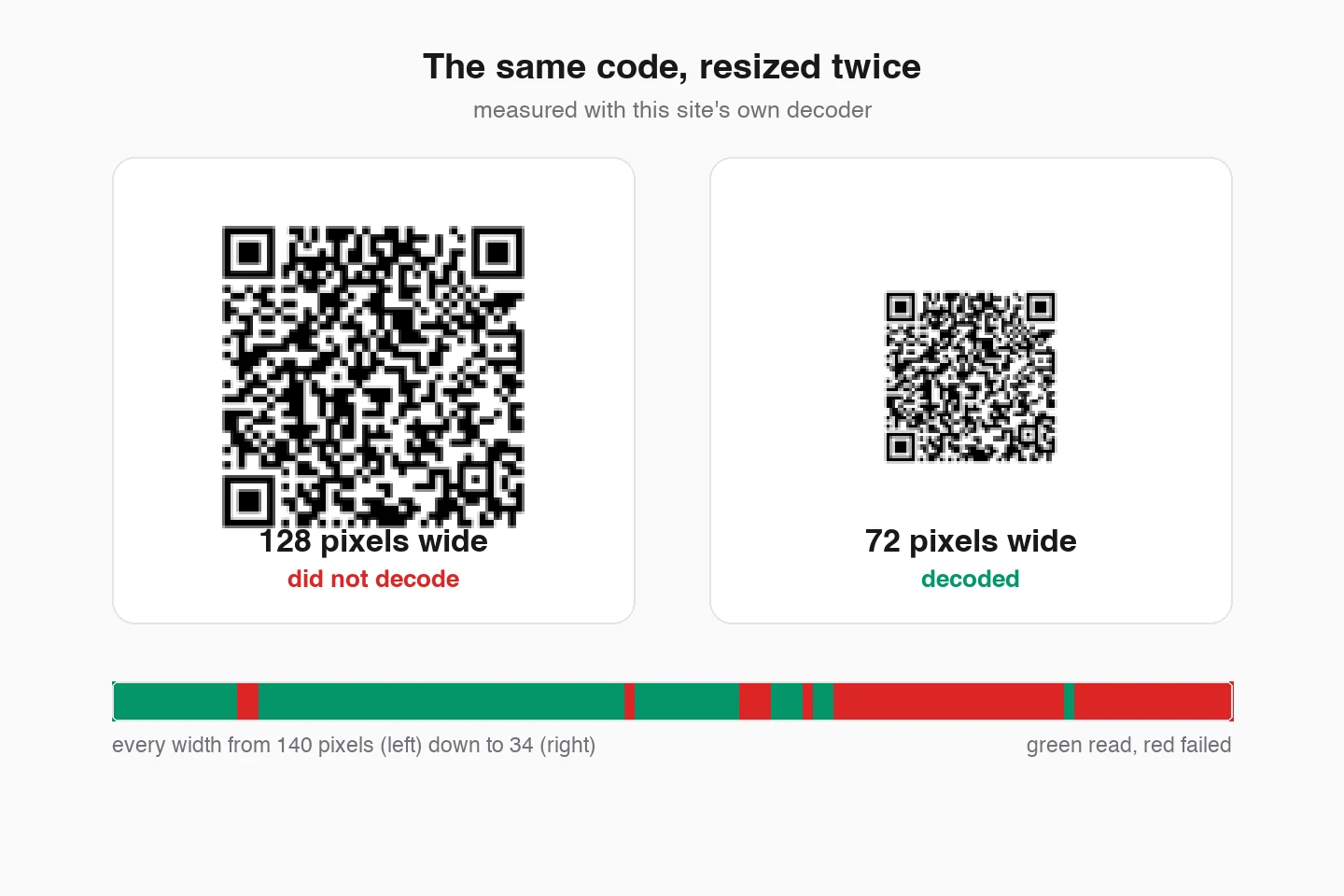
Everybody writing about this, including the sibling guide on this site, samples a handful of widths and reports a floor: above this many pixels a code reads, below it the code does not. Sampled at nine widths that is exactly what the data looks like. Sampled at every width it is not true.
Each stripe is one code rendered large, then averaged down to every whole pixel width from 140 down to 34, and decoded at each one. Green read, red failed. Wide is on the left.
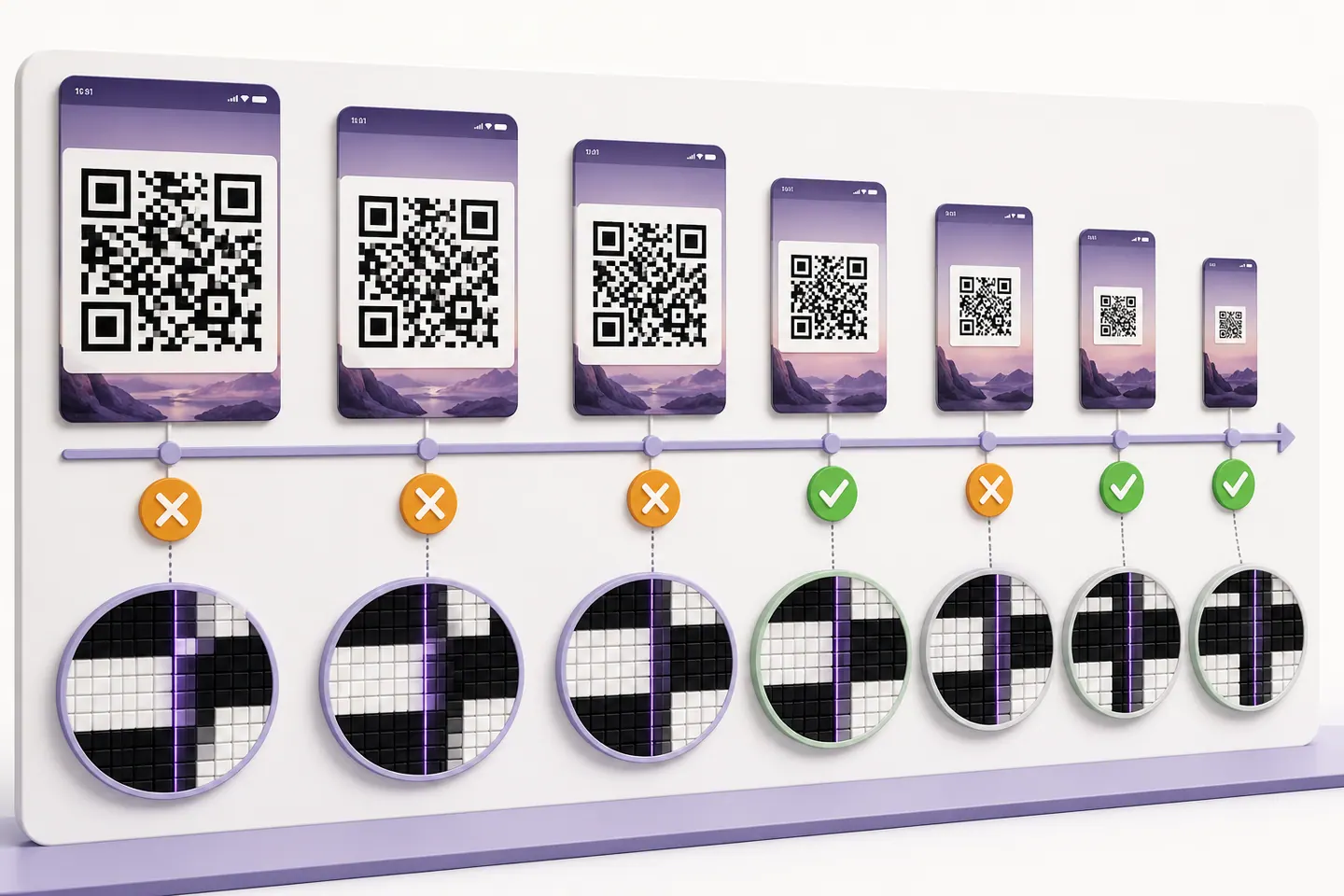
Look at the campaign URL and the contact card. Both have a band where green and red interleave, and both read at widths well below something that failed. The campaign URL failed at 128 pixels wide and decoded at 72, and the contact card failed at 84 and read at 64. That is not noise in the measurement, it is the mechanism: shrinking an image decides where each module edge lands relative to the pixel grid, and at some ratios the edges land cleanly while at others they average into grey. Change the ratio slightly and the alignment changes with it.
The practical consequence inverts the usual advice. If a screenshot will not decode, do not conclude the code is unreadable and go shopping for a better scanner app. Try it at a slightly different size. Resize by ten per cent, or crop tighter around the code so the decoder gets a different ratio, and try again.
Two honest caveats. This is one decoder on clean renders with no blur, glare or JPEG noise, so the exact widths that fail belong to this decoder and this resampler rather than to QR codes in general. And enlarging a small image is still pointless, because interpolation invents pixels rather than recovering detail. What generalises is the shape of the result: success is not a straight line in size.
What a Chat App Does to the Image Before You Get It
Messaging apps and mail clients shrink images to a limit on the long edge. Your screenshot starts with plenty of pixels and arrives with fewer, and the code inside it shrinks by the same proportion. So the number that decides whether a forwarded screenshot works is how much of the screen the code filled when it was captured.
| Payload | resized to 1600px | resized to 1024px | resized to 800px |
|---|---|---|---|
| Short link | 10% of the width83px of code survived | 15% of the width66px of code survived | 25% of the width93px of code survived |
| Wi-Fi credentials | 10% of the width69px of code survived | 15% of the width74px of code survived | 15% of the width58px of code survived |
| Campaign URL | 15% of the width123px of code survived | 15% of the width79px of code survived | 25% of the width92px of code survived |
| Contact card | 10% of the width85px of code survived | 15% of the width72px of code survived | 25% of the width99px of code survived |
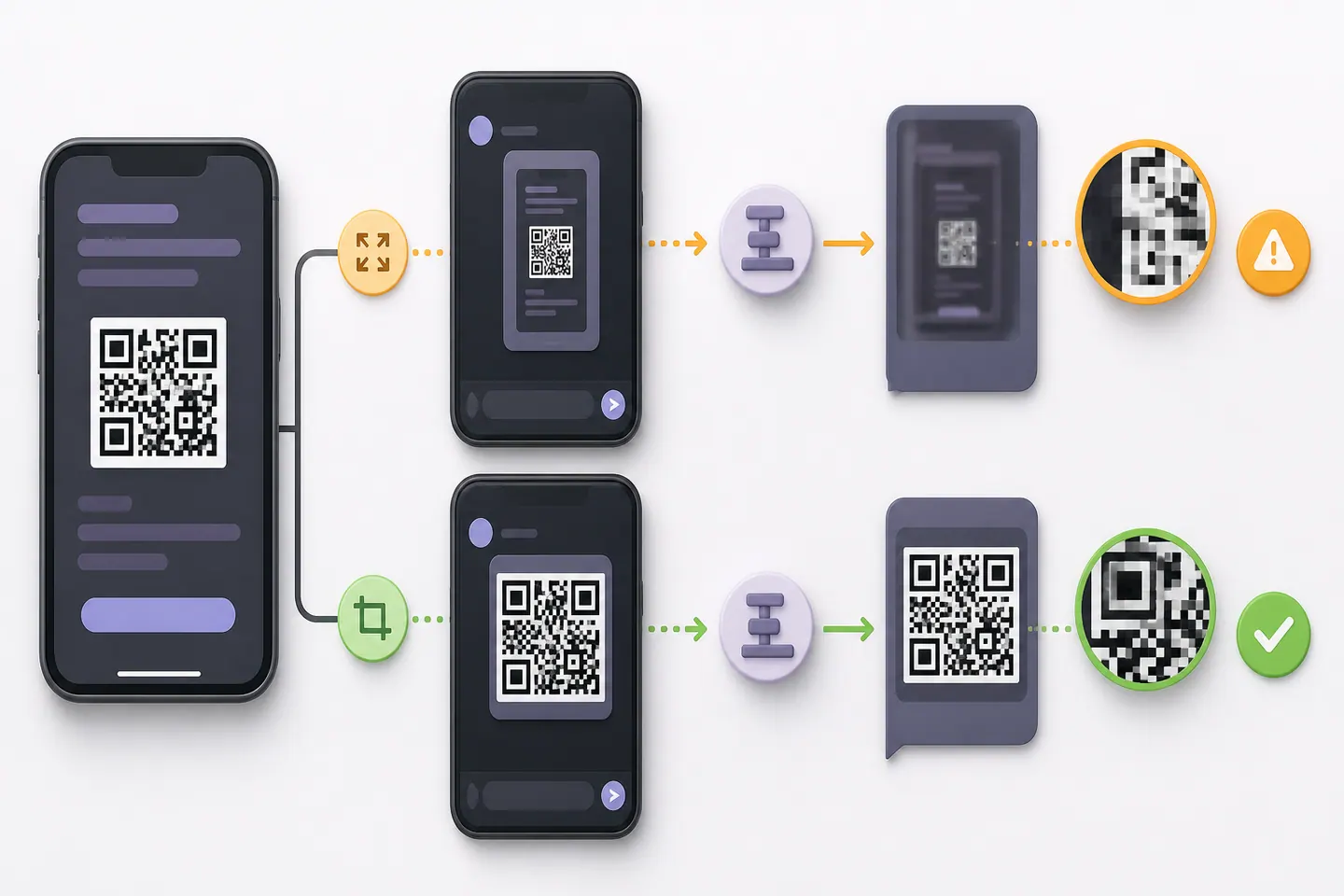
The headline is reassuring. At a 1600 pixel limit a short link still reads from a tenth of the screen width, so an ordinary screenshot of an ordinary code is fine. The trouble starts as the limit tightens and the payload gets denser. A campaign URL with tracking parameters needs a quarter of the screen width to survive an 800 pixel limit, and a code that small on screen is common in a slide deck or an email footer.
Which gives two rules worth following when you send one. Crop to the code before you send it, because cropping spends the whole pixel budget on the part that matters instead of on your notification bar. And send the original file rather than a screenshot of it whenever you can.
That second rule sounds like folklore, so here is the number behind it. Each round below shrinks the previous copy by a fifth, the way a screenshot of a forwarded screenshot does. Beside it, the same code is resized from the original straight to that width in one step.
| Payload | Rounds survived | Died at | Same width, one resize |
|---|---|---|---|
| Short linkversion 2 | 7 | 67px, on round 8 | still decoded |
| Wi-Fi credentialsversion 3 | 7 | 67px, on round 8 | still decoded |
| Campaign URLversion 6 | 5 | 105px, on round 6 | still decoded |
| Contact cardversion 5 | 5 | 105px, on round 6 | still decoded |
Density decides how much re-saving you get away with. A campaign URL and a contact card both die on the sixth round, at 105 pixels wide, while the same 105 pixels reached in a single resize still decodes. The pixel count is identical. Only the history differs, and the history is what killed it. So when somebody sends you a screenshot that will not read, asking for the file they screenshotted is not pedantry, it is the fix.
Where the image came from decides how much of that damage has already happened before you touch it.
- WhatsApp, Telegram and other chat appsThe version sitting in the conversation is usually a preview rather than the file. Screenshotting that preview resizes an already resized copy.Tap the image to open it full screen first, or save it, and work from that.
- EmailAn inline preview is often a scaled-down render of an attachment that is much larger.Download the attachment rather than screenshotting the message body.
- Instagram, Facebook and other social appsThe platform recompresses on upload, so the poster's crisp code is not the one you are looking at.Open the post at the largest size the app offers before you capture, and ask the poster for the file if it still fails.
- A PDFScreenshotting a whole page gives the code a small share of the capture, which is exactly the case measured above.Zoom until the code fills the window, then capture just that.
- A videoMotion blur, and whatever the player is currently rendering rather than the resolution the video was uploaded at.Set playback quality as high as it goes first, then pause, step to the sharpest frame and capture that.
The File Route, Device by Device
Camera scanning and reading a saved file are separate capabilities, and platforms are much better at the first than the second. The scanner guide compares what each device can do with its camera. What follows is only the file route, and only where the vendor documents one.
Android
Documented routeOpen Chrome, tap the Lens icon in the search bar of a new tab, then pick the image instead of taking one. Google's own wording for that picker is to select from your screenshots or images, which is exactly this job.
iPhone and iPad
Documented routeSame route, different button. In Chrome on iOS, open Lens from a new tab and tap Photo picker at the bottom left to use an image you already have. Apple's own Camera app handles codes in front of you, not codes in your camera roll.
Source: Google, Search with Google Lens in Chrome (iPhone and iPad)
iPhone, straight from Photos
Nothing documentedLong-press the code in the screenshot and see whether a link appears. This works on some iOS versions and not others, Apple does not document it, and behaviour has moved between releases. Five seconds tells you which version you have.
Windows 11
Nothing documentedNothing built in reads a QR code out of a file. Snipping Tool has Text actions, which is optical character recognition for text and has no barcode step. The Camera app can read a code you hold up to the webcam, which is a different job from the screenshot already sitting on your disk.
Mac
Nothing documentedNo documented route either. Preview and Quick Look detect text in images, and Apple does not document them detecting QR codes. Try a long press or a right click on the code first, then fall back to something that reads files.
Linux
Documented by the projectOne command, offline, no account, and it prints the decoded string to your terminal. Documented by the zbar project rather than by a vendor, and we have not run it on this machine, so treat it as their claim rather than our measurement.
zbarimg screenshot.png
Chrome and Firefox on the desktop
Nothing documentedGoogle documents Lens on desktop Chrome for searching images and page regions, and does not mention QR codes in that documentation. Firefox has nothing for this at all. A page that decodes in the tab is the gap both of them leave.
Source: Google, Search with Google Lens in Chrome (Computer)
The pattern in that list is the finding. Both mobile platforms have a documented way to decode an image you already have, and both desktop platforms have none, which is why the search results for this question are full of app downloads. A page that decodes in the browser tab works the same way on all five, and you can paste a screenshot into ours without installing anything.
On a Computer, the Clipboard Is the Short Way
Everything above assumes a file. On a computer you can skip the file entirely, and given that neither Windows nor macOS documents a way to read a code out of one, this is the fastest route either of them has.
Capture straight to the clipboard, then paste into something that decodes. Nothing touches your disk, so there is no screenshot left in a folder afterwards holding whatever the code contained.
Windows
- Capture to clipboard
- Windows key + Shift + S
- Then paste
- Ctrl + V
Snipping Tool opens a crosshair and puts the crop straight on the clipboard. Drag a box around the code, leaving a margin of blank space, then paste. Nothing is ever saved to disk.
Mac
- Capture to clipboard
- Control + Shift + Command + 4
- Then paste
- Command + V
Apple's wording is to hold Control while you press the other keys, and that is the part that sends the capture to the clipboard instead of the desktop. Without Control you get a file on the desktop, which also works, just with an extra step.
The reader on this site listens for a paste anywhere on the page and takes a dropped file too, so the whole job is two keystrokes: capture, paste, read the result.
The One Format That Will Not Open
Almost every image format you will meet is fine, and the exception catches people out because it only bites in one specific case.
- PNGAcceptedWhat every screenshot on every platform already is. Lossless, so nothing is thrown away between the screen and the decoder.
- JPEGAcceptedWhat a photo becomes once it has been through a chat app or an email. Lossy, and each re-save costs a little more edge definition.
- WebPAcceptedCommon when an image was saved off a web page, and on the accepted list here. Lossy like JPEG, so the same warning about re-saving applies.
- GIF and BMPAcceptedRare for this job, both on the accepted list. We have not tested an animated GIF, so if you have one, save a single frame as a PNG rather than finding out.
- HEICNot acceptedThe default for photos taken on an iPhone, and the one gap. Screenshots are not affected because iOS writes those as PNG. For a photo, share it as JPEG, or open it full screen and screenshot that.
- PDFNot acceptedNot an image at all. Zoom the page until the code fills the screen, then screenshot it. Zooming first is the whole trick, because it hands the decoder more pixels per module rather than fewer.
The HEIC line is worth reading twice, because it is narrower than it looks. A screenshot on an iPhone is a PNG, so screenshots never hit this at all. Photographs are the HEIC ones, which means the case that actually breaks is photographing a code on somebody else’s screen and then feeding that photo to a reader. Screenshot the photo and you have a PNG again.
Two Codes in One Image Read as None
A screenshot often catches more than you meant, and the intuitive assumption is that a decoder picks one code and ignores the rest. It does not.
Two different codes in one image, composed 24 ways: side by side and stacked, at 4, 8, 16 pixels per module, with gaps from 0 to 300px. The decoder returned nothing every time. It does not pick the first code, or the largest, or the leftmost. An image holding two codes reads as an image holding none, so the fix is to crop to the one you want.
- Layouts tested
- 24
- Gaps tried
- 0 to 300px
- Codes recovered
- 0
This one is worth knowing because of how the failure presents itself. You get told no code was found, on an image that visibly contains two, so the natural conclusion is that the image is broken. It is not. Crop to one code and it reads immediately.
The Screenshots You Should Not Upload Anywhere
Most pages offering to scan a QR code from an image ask you to upload it. Before you do that with a screenshot, consider what a screenshot contains, because for several common codes the pattern is not a pointer to a secret, it is the secret.
- A two-factor setup codeThe QR code in an authenticator setup screen contains the shared secret itself. Anyone holding that string can generate your codes indefinitely, and rotating it means re-enrolling the account.
- A boarding pass or event ticketThe barcode is the credential. A readable copy is enough to check in, and the name and record locator next to it are usually in the same screenshot.
- A Wi-Fi code from an office or a home routerThe passphrase is inside the pattern in plain text. Decoding is not a hint, it is the whole password.
- A payment request or a wallet addressPayment codes carry an account identifier and often an amount. Circulating one invites a plausible looking request that is not yours.
- Anything with the rest of the screen still in itA screenshot is the whole screen. Notifications, a browser tab title, an email subject line and a phone number all come along with the code you meant to share.
A Wi-Fi code is the clearest case, because the passphrase is inside the pattern as plain text rather than as a reference to something stored elsewhere, which the Wi-Fi guide shows by decoding the payloads back. The answer is not to be careful about which server you trust. It is to not involve one. Decoding is arithmetic on a bitmap, and a browser can do all of it in the tab you already have open, which is how the reader on this site works. The tool page explains what enforces that rather than only promising it.
Check the Local Claim Instead of Believing It
This page and the reader it points at both claim your image stays in your browser. That claim is worth nothing without a way to check it, so here are three, in descending order of how much they actually prove.
- 1Read the security headerRun the command below against any page on this site and look at the first directive.default-src 'self' with no connect-src override means connect-src inherits it, so the browser refuses any connection this page tries to make to another origin. That is enforcement rather than a promise, and you did not have to trust us to see it.
- 2Pull the plugLoad the reader, turn off Wi-Fi, then decode an image.That decoding needs no network once the page has loaded. It does not prove much about a page you have already visited, because the browser may have cached it, which is the honest limit of this test.
- 3Watch the network panelOpen developer tools, switch to the network tab, then decode an image and watch what appears.That no request carrying your image goes out. Worth knowing what it cannot tell you: a page can decode locally and still send analytics, so an empty panel is a stronger result than a busy one is a problem.
curl -sI https://qrmakery.com/tools/scan-qr-code-from-image | grep -i content-security-policy
Run that and the first directive is default-src 'self', with no connect-src of its own. Connections inherit the default, so the browser blocks this page from opening a connection to anywhere but this site. That is the part worth having: it holds whether or not we are honest, because it is the browser enforcing it rather than us describing it.
Being straight about the limit, though. A same-origin request is not blocked by that header, so the policy rules out sending your screenshot to somebody else rather than ruling out all traffic. The reason your image goes nowhere is that the decoding runs in the tab, and the header is what stops any future edit from quietly changing that.
When It Still Will Not Read
One case is not a failure at all. If the image decodes and the destination then leads nowhere, the screenshot did its job and something on the other end expired, which do QR codes expire takes apart properly.
If the image is a fair size, holds one code, and still will not read, the problem has moved from the copy to the code. Two other pages here cover that ground properly rather than in a paragraph.
A cropped quiet zone, weak contrast between light and dark modules, or a logo covering too much of the grid are all faults in the code itself, measured with thresholds in why a QR code will not scan. If the code is in front of you on paper or a screen rather than in a file, camera scanning is a different job with different answers, and the scanner guide covers what each platform can already do without an app.
Common Questions
How do you scan a QR code from a screenshot?
Treat it as a file rather than as something to point a camera at. On Android and iPhone, Google documents opening Lens in Chrome and choosing an image you already have instead of taking a new one. On Windows and Mac nothing built in reads a code out of a file, so use a page that decodes in the browser. Paste the screenshot with Ctrl+V and you get the text that was inside it.
Why does the same QR code read on someone else's phone but not mine?
Most often because the two of you are not looking at the same file. Whoever forwarded it may have sent you a resized copy, and a decoder works on pixels rather than on intent. There is a stranger reason too, which we measured: whether the resize lands module edges on whole pixels changes with the exact ratio, so two slightly different copies of one code can behave differently. It is not your phone.
How do I scan a QR code that is on my own phone screen?
You cannot point the camera at the screen it is displayed on, so stop trying to. Screenshot the code, then decode the screenshot as a file. Some apps also let you long-press the image and offer the link directly, which is worth trying first because it takes two seconds.
Why does my screenshot say no QR code found when the code looks fine?
Usually because something resized it on the way to you, and the module edges averaged into grey. Here is the part that surprises people: failing is not proof that the image is too small. We swept every pixel width from 140 down to 34 and found codes that failed at one width and read at a narrower one, including a campaign URL that failed at 128 pixels wide and decoded at 72. Try nudging the size before you conclude the code is unreadable.
Does a screenshot lose quality that stops a QR code scanning?
The screenshot itself is usually not the problem. It captures your screen at full resolution, and on a phone that is well over a thousand pixels wide. The damage happens afterwards, when a chat app or an email client resizes the file to a long-edge limit. That is also why the original image scans and the screenshot of it sometimes does not.
Can I scan a QR code from a photo in my gallery or camera roll?
Yes, and it is the same job as a screenshot. Google documents picking an existing image in Lens on both Android and iOS. A photo has one extra problem a screenshot does not: it can be blurred, angled or glared, and a code photographed off to one side compresses the far edge of the grid.
What if there are two QR codes in one screenshot?
Crop to the one you want. We tested 24 layouts with two codes in a single image, varying the gap between them, the module size and whether they sat side by side or stacked. Every one returned nothing at all rather than picking a code, so an image with two codes reads as an image with none.
Is it safe to upload a screenshot of a QR code to a website?
Think about what is in the screenshot before you answer that. A two-factor setup code contains the shared secret for your account. A boarding pass barcode is the credential itself. A Wi-Fi code holds the password in plain text. Decode those locally in your own browser, where the file never leaves the tab, rather than posting them to a server you know nothing about.
How do I scan a QR code sent to me on WhatsApp?
Open the image at full size first, then decode it. What matters is avoiding a second round of resizing: screenshotting the chat thumbnail gives the decoder a smaller code than the one already on your phone. Save or open the original, and if it still fails, ask the sender for the file rather than a screenshot of it.
Can I scan a QR code from a PDF?
Not directly with an image reader, because a PDF is a document rather than a bitmap. Export the page as an image, or take a screenshot of the code at as large a zoom as you can. Zooming in before you capture is the useful trick here: it hands the decoder more pixels per module rather than fewer.
Is there a way to do this without an internet connection?
Decoding is arithmetic on an image, so it needs no network. On Linux, zbarimg reads a file from the command line. In a browser, a page that decodes in the tab keeps working once it has loaded. Whether the thing inside the code then works offline depends on what it contains, and a website link obviously does not.
Can I paste a QR code image straight into a scanner?
Yes, and on a computer it is the quickest route there is. Capture to the clipboard with Windows key + Shift + S on Windows or Control + Shift + Command + 4 on a Mac, then press Ctrl+V or Command+V on the reader page. The image never becomes a file, so there is no screenshot left in a folder afterwards holding whatever the code contained.
What image format works best for reading a QR code?
PNG, which is what every screenshot already is. The reader here also takes JPEG, WebP, GIF and BMP. The one it does not take is HEIC, and that matters less than it sounds: iPhone screenshots are PNG, and HEIC is only the format for photos taken with the camera. If you photographed a code on a screen, share it as JPEG or screenshot the photo.
Can I scan a QR code from a video?
Pause on the sharpest frame first, turn the playback quality up, then screenshot and crop to the code. Two things work against you in a video: motion blur, and the fact that a paused frame is often rendered at a lower resolution than the video's nominal one, so you get fewer pixels per module than the numbers suggest.
Can somebody read my Wi-Fi password from a screenshot of the code?
Yes. A Wi-Fi QR code carries the network name and the passphrase as plain text inside the pattern, so anyone who can decode the picture has your password. There is no encryption in the format to get past. Treat a screenshot of one exactly as you would treat the password written down, and prefer the guest network for anything you are going to share.
Can a screenshot of a QR code expire?
The image cannot. A static code carries its content inside the pattern, so a screenshot of one keeps decoding forever. What expires is on the other end: a login code, a ticket, a payment request or a redirect somebody stopped paying for. So a screenshot that decodes perfectly and then leads nowhere is normal, and the decoding is not the part that failed.
Does enlarging a small screenshot help?
Not on its own. Scaling up invents pixels by interpolation and adds no detail, so a thumbnail stays a thumbnail. What does sometimes help is resizing slightly, because whether module edges land on whole pixels changes with the ratio, and we measured plenty of widths that failed while narrower ones read. Getting the original file helps far more.
Decode the Screenshot You Already Have
Paste it with Ctrl+V or drop the file in. It is read in this tab, so the image never reaches a server, and you get the exact text the code contains plus how much detail your copy still carries.
Open the generatorKeep reading
All guides- Comparisons
Static vs Dynamic QR Codes
What the redirect actually buys you, measured on real encoded codes, and which payloads are worse off for it.
16 min read - Printing
QR Code Sticker Size: The Circle Costs You 30%
The usable square inside a round sticker is 70% of its diameter. Measured minimum sizes for real links, against every common sticker size.
8 min read - Reference
Offline QR Code Generators for Every Device
What each platform already ships, the measured cost of each payload type, and how to check an offline claim yourself.
26 min read


